Themes
A pre-release of the new J.P. Morgan theme is available. More information is available for J.P. Morgan employees.
A theme is a collection of design tokens that define the overall look and feel of an interface. Themes allow you to quickly switch the visual style of components to match different brands or user preferences, ensuring consistency across your application.
In Salt, a theme is made up of tokens for colors, typography, shadows and corner radius. Themes help platforms and applications align with a specific visual identity and can be switched to suit different audiences.
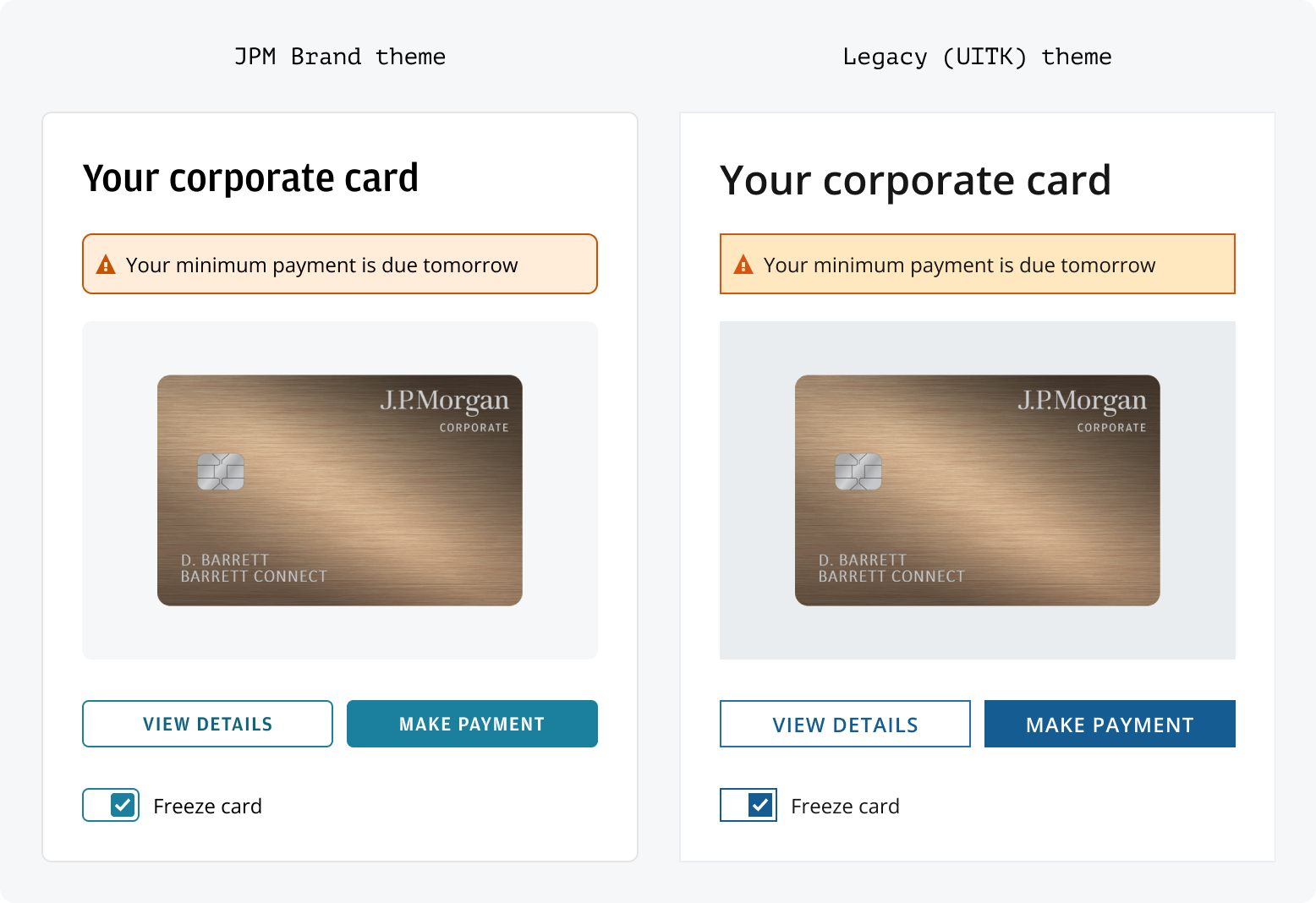
Salt offers four themes:
- J.P. Morgan (default)—recommended for all new projects.
- Legacy (UITK)—designed to support the migration of applications from Salt’s predecessor.
- Chase Consumer—available exclusively to JPMorganChase employees for applications serving Chase customers.
- JPMorganChase—available exclusively to JPMorganChase employees for applications representing the parent brand.
The long-term goal for Legacy users remains transitioning to the J.P. Morgan theme.
The J.P. Morgan theme is Salt’s long-term visual style, designed to match the J.P. Morgan brand across CIB digital applications. Developed with Corporate Brand and CIB Marketing, it uses approved styles for consistent visuals on desktop and web. Salt recommends using the J.P. Morgan theme for better accessibility and brand alignment.
For a gradual move from the UITK system, Salt’s Legacy (UITK) theme can be used with UITK components to support different migration timelines and needs. J.P. Morgan employees can find more details on migration options and system comparisons.
The Chase theme enables teams to build and deliver products within the Chase visual identity. Chase is available as a separate library in Figma and as a standalone package in code. JPMorganChase employees can find installation instructions and setup guidance internally.
The JPMorganChase theme enables teams to build and deliver products aligned to the JPMorganChase parent brand. JPMorganChase theme is available as a separate library in Figma and as a standalone package in code.
You can set themes in code using a provider and CSS imports. For a step-by-step walkthrough that covers installing the packages, adding web fonts and wrapping your application, see Developing with Salt.
Import the base theme CSS plus the J.P. Morgan layer, then wrap your app in <SaltProviderNext>:
The J.P. Morgan theme requires the Amplitude web font. JPMC employees can download the font files from Salt internal resources, then add the following @font-face declarations to your application CSS:
View the Amplitude @font-face declarations
The Legacy theme uses <SaltProvider> with the base theme CSS—no additional fonts or props are required. See Using the Legacy theme in Developing with Salt for the full setup.
When using the Salt DS Figma libraries, you can use variable modes to change between ‘J.P. Morgan’ and ‘Legacy (UITK)’. All components, patterns and styles are compatible with each theme in Salt. The Chase and JPMorganChase themes are provided as extended collections for internal use only.
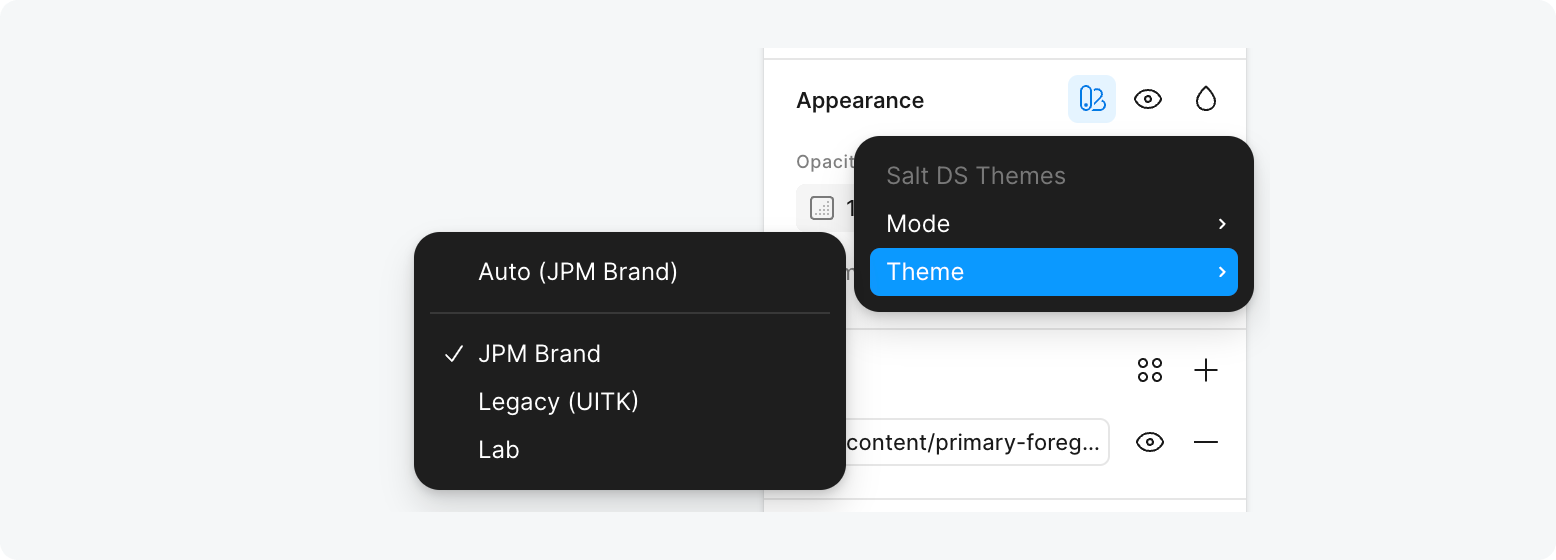
The Salt DS Themes library includes all the Figma variables needed to style with Salt. It includes the semantic characteristics, size and spacing values, shadows, corner radii and typographic styles.
The Figma variables are set up to match Salt tokens in code. When inspecting a design in Figma’s Dev Mode, you can see references that match the tokens, such as color, size and spacing values.
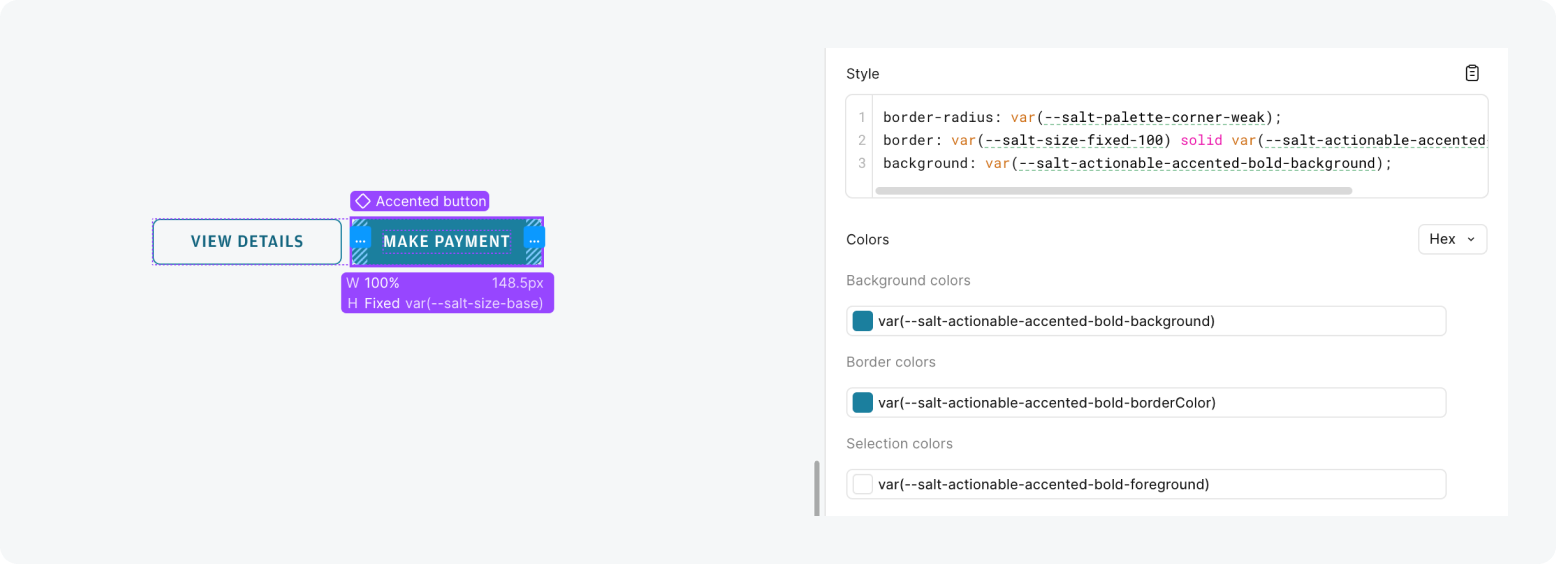
When referencing a design created using Salt with ‘View only’ Figma access, you’ll be able to see the Figma variables but not the token references. However, the variables match the same structure, so they should be relatively easy to translate.