How to read semantic tokens
Salt organizes semantic tokens within the characteristic layer, allowing components and patterns to reference them directly. Understanding semantic characteristics involves learning how to interpret token names, making it easier to find and apply the right token in both design and code.
Don't
Don’t choose a token just because its color looks right—this can cause issues in other themes or modes. Instead, design semantically. Rather than coloring something red, identify it as being in an ‘error’ state, needing ‘attention’, or a ‘negative’ change or message.
All semantic tokens in the Salt Design System follow the same format (terms marked with an '*' are mandatory):
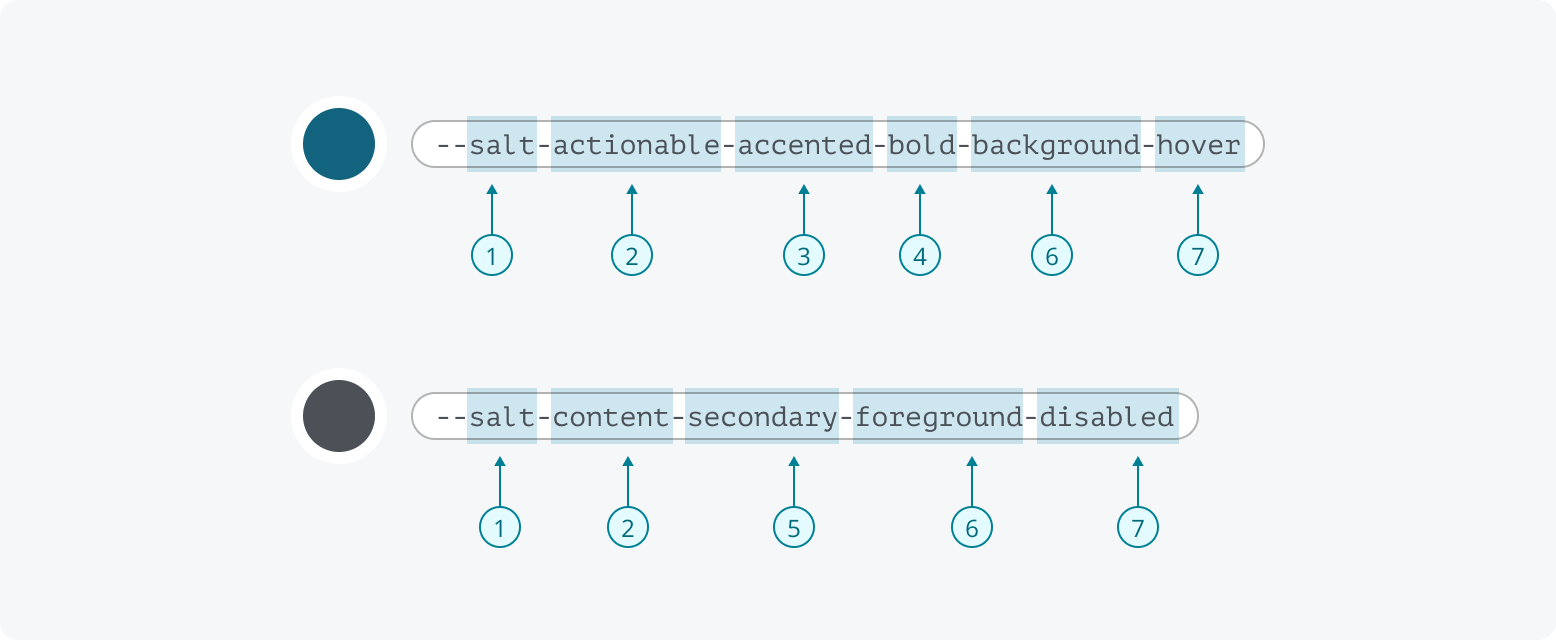
- Design system prefix*: A term that clearly attributes the token to Salt.
- Characteristic*: Included in all semantic tokens to group tokens that share the same purpose or function (e.g., accent, actionable, container, content).
- Specifier: Defines a subset of a characteristic, separating tokens into specific use cases or contexts. This helps clarify the intended application of the token within its characteristic group (e.g., separating different types of statuses or sentiments).
- Emphasis: Indicates where visual prominence is increased or decreased (e.g., bold, subtle).
- Variant: Allows variation within a set of attributes within a characteristic (e.g., primary, secondary, tertiary).
- Property*: Indicates the UI attribute the token applies to (e.g., background, border, shadow, foreground).
- State: Indicates the current condition of an element (e.g., hover, active, selected, disabled, read-only).
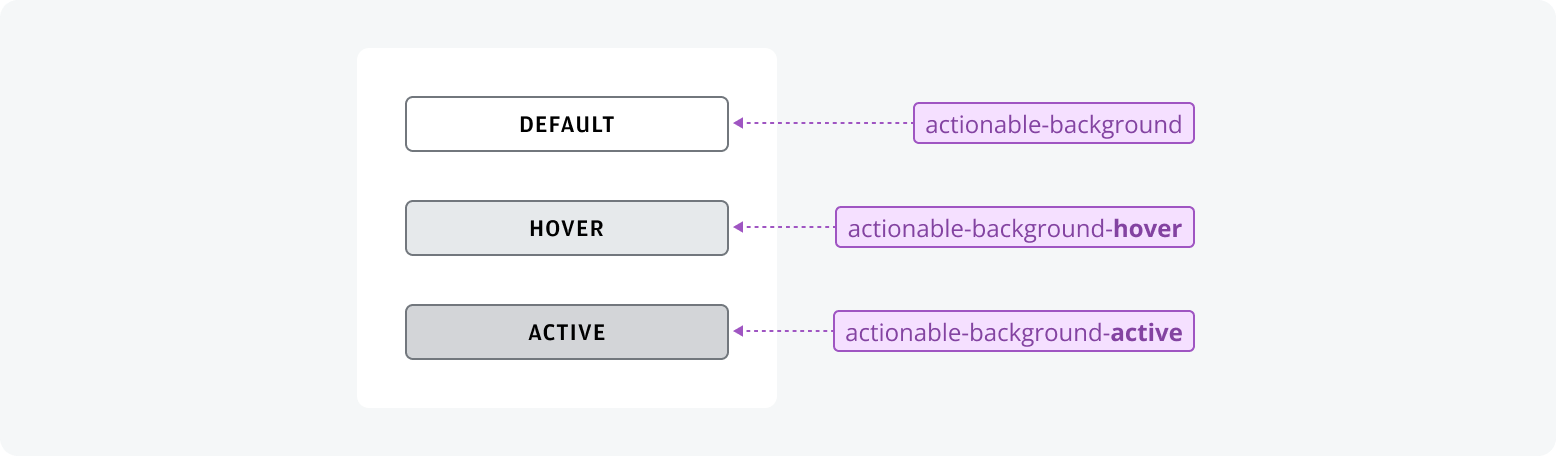
Salt never uses the term 'default' in our tokens. It is an ambiguous term which doesn't describe the purpose of the token. As much as possible we use optional naming parts to keep token purpose clear and specific.
Characteristics are groups of tokens that share the same purpose or intent. In Salt, every characteristic token includes its semantic group directly after the design system prefix, e.g., --salt-content-primary-foreground. Below are the semantic characteristics used in Salt:
- Actionable
- Category
- Container
- Content
- Editable
- Focused
- Navigable
- Overlayable
- Selectable
- Sentiment
- Separable
- Status
- Target
- Text
Specifiers such as sentiment, status, and category are used to define subsets within characteristic groups. Specifiers separate tokens into specific use cases or contexts, clarifying their intended application. They help convey details about a token’s purpose, such as its color function or interaction state, by indicating the particular type or context within a broader characteristic.
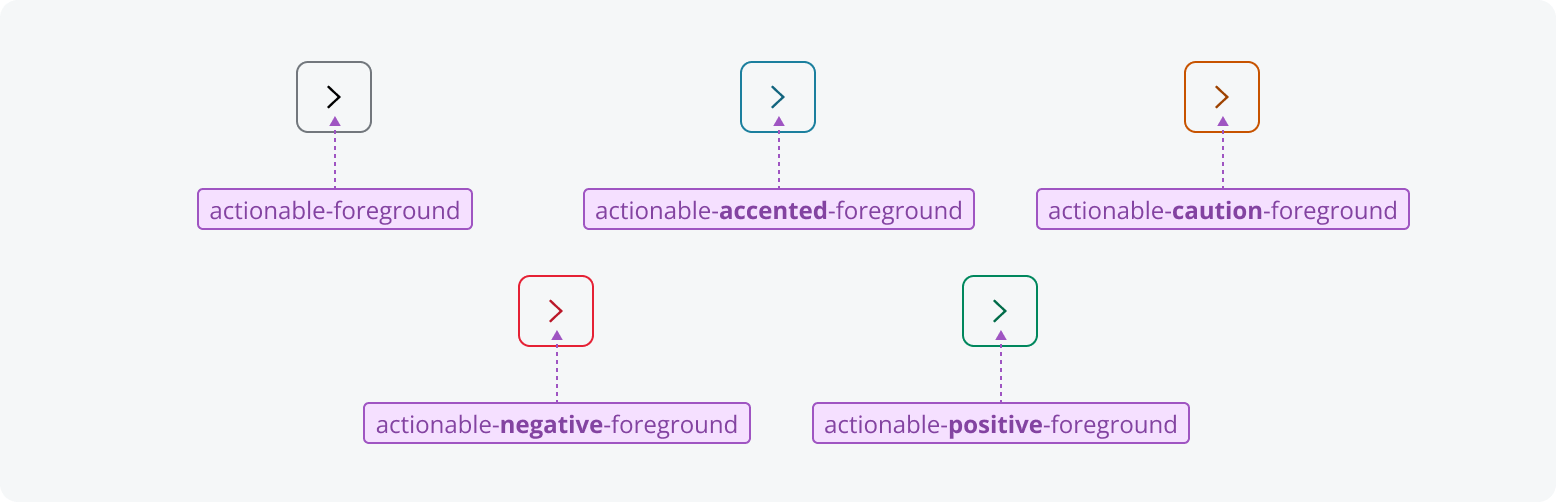
Each sentiment in Salt is designed to evoke a particular feeling, such as negativity, caution or positivity. Salt includes five sentiments: Accented, Caution, Negative, Positive and Neutral. Like ‘default’ states, Neutral is implied when no sentiment is specified. Therefore, it's never explicitly named within a token.
Status in Salt describes the condition of a system or process. Each status helps users understand what’s happening, what actions may be needed, and whether any issues require attention. The four statuses are: Error, Info, Success and Warning.

Category provides a set of 20 numbered groups. These groups don't have predefined meanings, so you can assign significance locally, such as for tagging content or organizing data visualizations. Each category is represented by a number to avoid implying any system-level meaning or color, since colors may change across themes and modes.

Emphasis is an optional term used to adjust the visual prominence of an attribute when needed. In design tokens, emphasis is shown as either bold or subtle, with the default value used if neither is specified. Bold increases emphasis, whereas subtle decreases it. How emphasis appears may differ depending on the characteristic or property.

Variant is an optional term with three values: primary, secondary and tertiary. Variants help distinguish and customize design elements, providing flexibility in both styling and functionality.
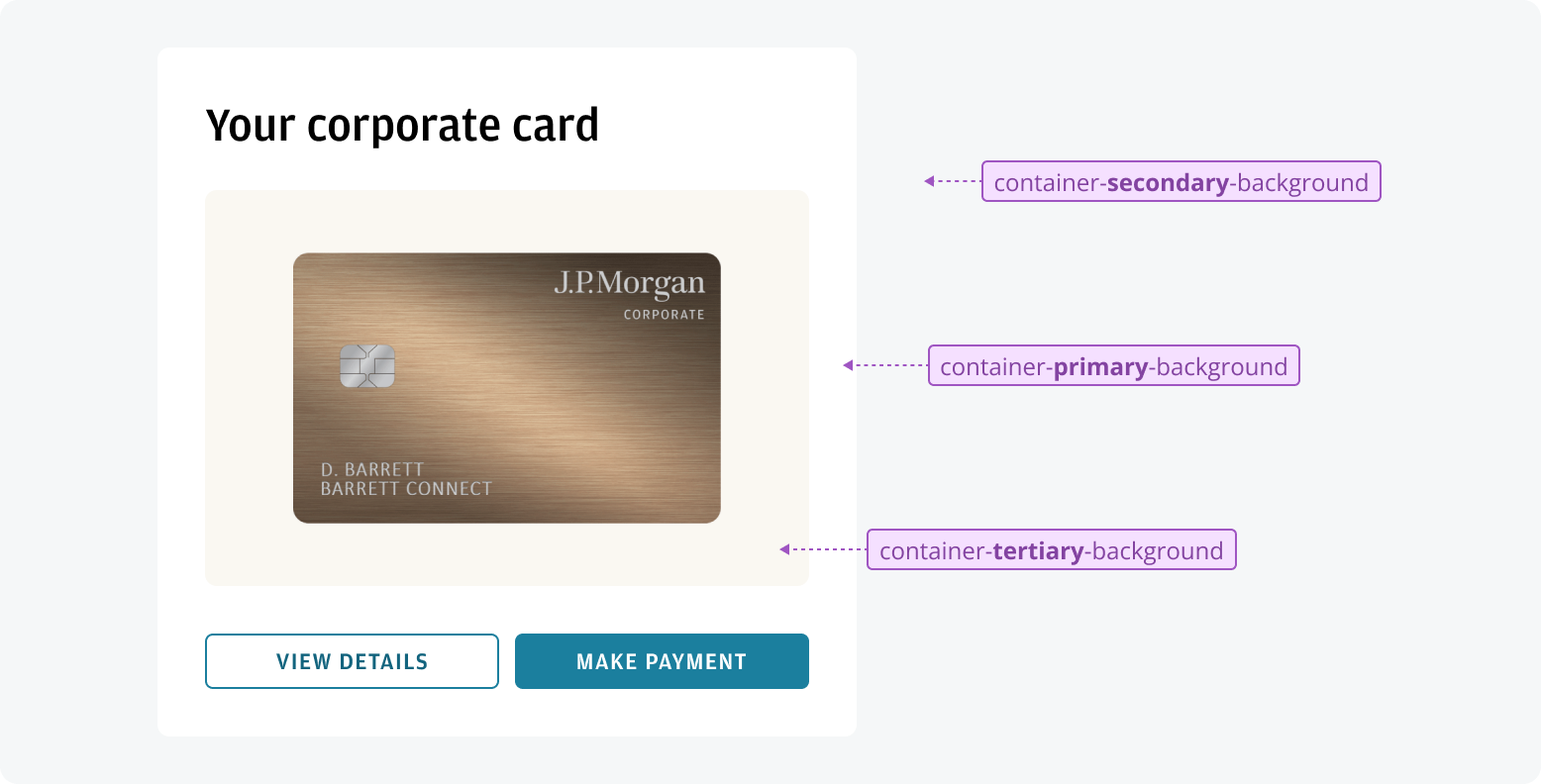
Property refers to the specific attribute to which a design token applies, such as background, foreground or border. In Salt, foreground covers both text and icons. When you need to differentiate between them, the states 'informative' (for text) and 'decorative' (for icons) are used alongside 'foreground'. This approach allows for subtle color differences between text and icons, while ensuring compliance with color contrast requirements.
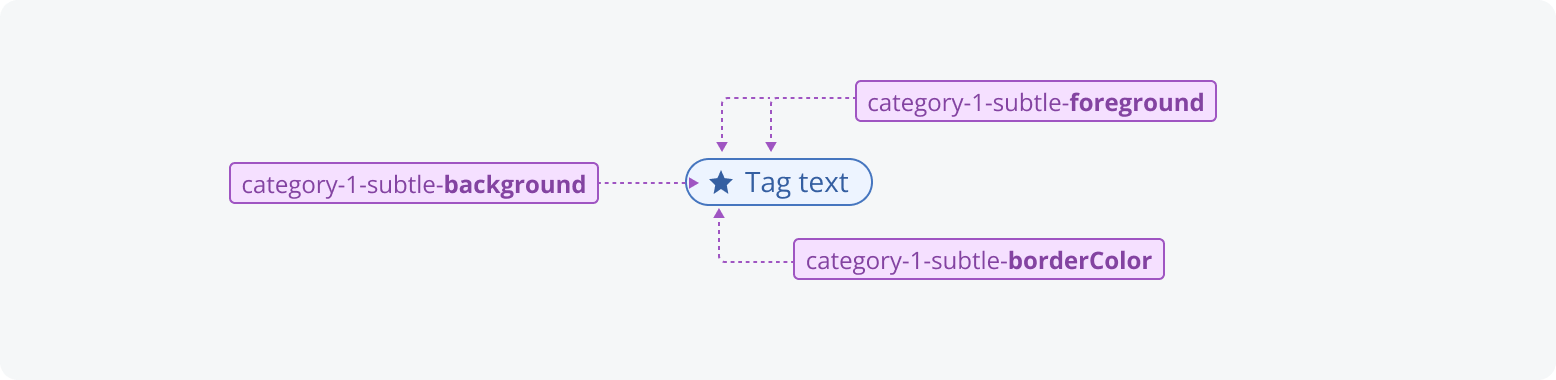
State refers to the condition of a design attribute, such as hover, disabled, active, selected or read-only. If no state is specified, it is considered the ‘default’ value.